A reminder app for elderly parents
The difficulty is rarely that a parent refuses to take their tablets. It is that eleven o'clock arrives while they are doing something else, and there is nobody in the room to say so. Remindly says it out loud — on a tablet or computer they already own, at the time it is due, without their having to check a phone or open an app. If there is no tablet in the house, and no appetite for one, it telephones them and says the same thing.
Free while in beta — no card, no ads, no sales calls. No trial that quietly ends: if charging ever becomes necessary, you will be told first.
What to look for in one
Most reminder software is written for the person who owns the phone. That is a different problem from this one — here, the person who needs reminding and the person doing the arranging are not the same person, and are often not in the same house. Four things follow from that, and they are worth checking against anything you are considering:
- Does the reminder reach them without their doing anything? A notification on a phone in another room is not a reminder. Spoken out loud, in the room they are in, is — from a tablet if there is one, and down the telephone if there is not.
- Can you change it from where you are? A dose time moves after an appointment. If that means a visit, or talking someone through a settings screen over the telephone, it will not get done.
- Does anything come back to you? Setting a reminder and hearing nothing afterwards leaves you exactly where you started — ringing to ask.
- What does it ask of them? Every password, unlock and menu is somewhere it can stop working on a day nobody is there to fix it.
How Remindly answers them
- You set the reminders — medication, appointments, a walk after lunch — from your own phone or computer, from wherever you happen to live.
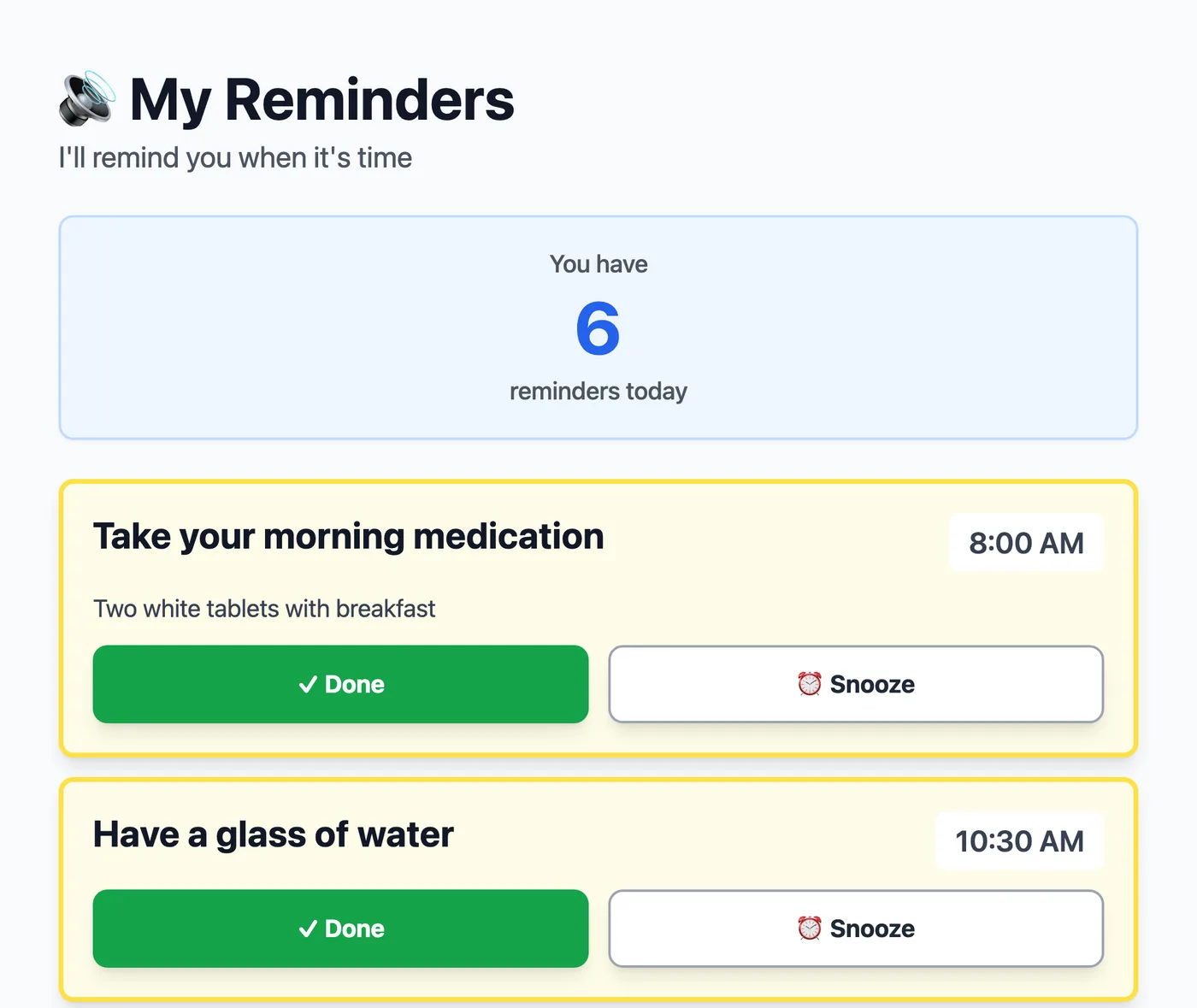
- They hear it spoken aloud at the right time, at home, without reading a screen or opening anything — from the tablet, or as a telephone call that never asks for more than a single keypress.
- You see what was marked done, and what wasn't — so checking in does not have to mean ringing to ask.
Their end needs no password: signing in is a link sent by email, and in practice whoever sets it up does that once and leaves the page open.
If there is no tablet in the house
Some families never get past the first requirement, because the person being cared for does not own a tablet and is not going to start now. Remindly can telephone them instead. An ordinary landline is enough — nothing to install, no account, no screen — and the reminder is spoken down the line when it is due, between 8am and 9pm at their end or the hours you choose.
The objection worth taking seriously is that an automated call to an elderly person looks exactly like the calls they have rightly been taught to put the phone down on. So the first call is not a reminder at all. It gives the name of the person who arranged the calls, and it says plainly that Remindly will never ask for personal details — no bank, no address, no date of birth, nothing to read out. A reminder call follows only if they press 1. Press 9 and there is no second call.
After that, a call is only ever one keypress: 1 for done, 2 to be rung again shortly, 9 to stop the reminder calls. Nine works on every call, not only the first. You can ask them to reconsider later, and that request is itself a call — but asking is the whole of what you can do. Only they can start the reminders again, from their own keypad.
If nobody picks up, Remindly rings again — up to three times, fewer if their calling hours end first. Whether that reaches you depends on the reminder: mark one as a reminder where being late matters and an unanswered call is reported to you straight away. Otherwise you get the ordinary missed notice an hour later, and only for the categories you have switched on.
A number has to be entered and confirmed before the first one is made.
What it runs on
Any device with a web browser and a speaker. Families use an old tablet that had stopped being carried around, a laptop that already lives on the desk, or the desktop computer in the corner. Nothing is installed and no account is needed at the app store, because there is no app to fetch from one.
It works best on a device that already sits somewhere they spend time — the kitchen table, beside a favourite chair — with the page left open, the way a clock sits on a shelf.
Two things worth knowing before you set this up.
Remindly speaks through the page, so that page has to stay open on their device. Close the tab and nothing is spoken.
And browsers will not play sound until someone has touched the screen, so on an iPad Remindly asks for a single tap after it starts up. It remembers anything it could not say and speaks it once you do.
What comes back to you
You see the whole day at a glance from your own dashboard. For medication, Remindly emails you when a reminder is marked done on their device, and again if the time passes and it has not been. That is the part that replaces the phone call.
What "done" means, and what it doesn't. Remindly records that someone pressed Done on the reminder. That is a good signal and it is not proof: it cannot tell you a tablet was actually swallowed, and it is not a substitute for a pill dispenser, a carer or medical advice. If a missed dose would be dangerous, Remindly should not be the only thing standing between your parent and that dose.
Alongside the reminders that repeat, there is a shared list of the one-off things — a prescription to collect, an appointment on Thursday. If more than one of you is helping, you can each take what you can and see what the others have picked up.
Before you set it up
Is it worth it if my parent only takes one tablet a day?
That depends on whether the one is ever forgotten. If it never is, this solves a problem you do not have, and you should not bother. Most families arrive here because something has already been missed — and once it is set up, the same routine carries the things that are not medication at all: the appointment on Thursday, a glass of water in the afternoon, the walk after lunch.
Will my parent find it patronising?
That is the objection worth taking seriously, and the reason the page is quiet by default: it says nothing at all unless something is due, keeps no score, and does not nag. There is no streak to break and no report card. What comes back to you is whether a reminder was marked done — not where they are, not what they are doing, and nothing the microphone hears.
What if we set it up and it turns out not to suit us?
Then you stop, and there is nothing to cancel — no card was entered and no subscription started. Your parent can end a caregiver's access themselves at any time, from their own screen, without asking anyone; it is their arrangement to leave as much as yours. Ask and the data is deleted.
The questions page answers the rest — what the device needs, what happens if a reminder is missed, how a caregiver is connected, and the ones where the answer is no.
Setting it up
Enter your email on the sign-in page and Remindly sends you a link — there is no password to choose. The first time you sign in it asks one question, whether you are setting this up for someone else or will be receiving the reminders yourself, and takes you straight in.
Then you set up the person you care for: their name and their timezone, and that is the whole form. They need no email address, no password and no account. Hand it over by bookmarking a link on their tablet, or by reading them six numbers down the telephone. Nothing is spoken and you see nothing about their day until they agree on their own screen, which names you when it asks — and if they say no, everything you set up is deleted.
The guide walks through creating a first reminder, and the questions page covers the rest — including the things Remindly deliberately does not do. If you would rather describe your situation to a person first, email hello@remindly.care: if this is the wrong fit for what you need, you will be told so.